
Kahoot! Play & Create Quizzes
Kahoot!Education
4.715.65K Reviews
- Version
- 6.7.8
- Installs
- 100.00M
- Age Rating
- Everyone
Screenshots
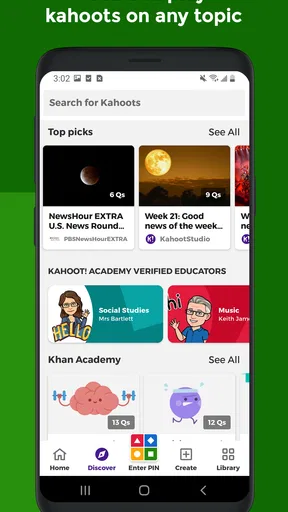
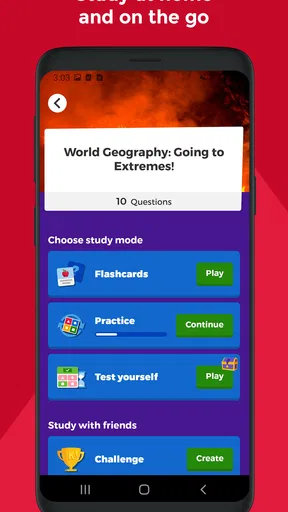
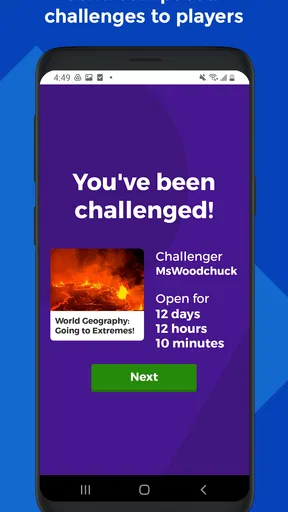
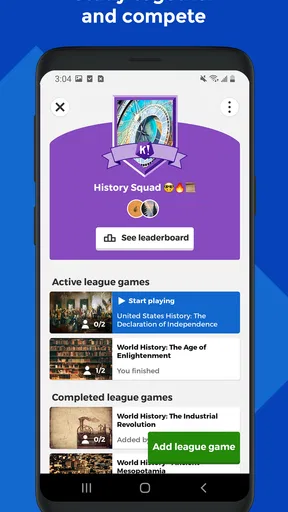
Our Review of Kahoot! Play & Create Quizzes
 Analysis by Appyee
At home, a quiz can turn a quiet stretch after dinner into a shared activity without asking everyone to commit to a long game. I like the idea of one person hosting on a phone while others answer on their own devices, but the experience works best when the group agrees on the mood first: friendly recall, silly trivia, or a genuine test of what someone has learned. Kahoot! Play & Create Quizzes is built around that social energy, and its appeal is as much about comparing answers and reactions as it is about the questions themselves.
That shared format is useful beyond family evenings. I can picture a parent making a short review quiz before a school test, a student challenging a sibling with vocabulary, or a group of friends using trivia to fill a lull at a gathering. The host does need to be comfortable steering the activity; without someone setting a pace and keeping the questions appropriate to the group, a quiz can feel more like a test than a game. For a household that enjoys taking turns and talking through answers, that small bit of coordination is part of the fun.
One device, several people, and a sensible starting point
Before inviting everyone in, I’d decide whether the quiz is meant to teach, review, or simply entertain. That choice affects how I would write questions: a learning round benefits from clear wording and a useful explanation after a wrong answer, while a casual round can lean on surprises and shared interests. Keeping the first session brief is a practical way to see whether the group enjoys the pace before anyone spends time building a longer quiz.
A shared household device can help the host prepare or display the activity, but it should not be confused with a shared identity. If different people use one phone or tablet, I would make a habit of checking whose account is active before creating or changing material. That is ordinary account hygiene rather than a special family feature, and it matters whenever one person’s drafts or activity might be mistaken for another’s. For children, an adult can help with setup and with choosing suitable questions, while still letting the child take part in making decisions.
Who should lead, and how to keep the group in sync
Live play asks the group to be together and ready at the same time. The host can explain the rules, share the join PIN, and pause long enough for everyone to get settled before starting. In a mixed-age group, I’d also say up front that speed is part of the competition, not a measure of who is smartest. That simple framing can keep a lively leaderboard from discouraging someone who knows the answer but needs longer to read it.
Self-paced challenges suit a different kind of coordination. They are a better fit when people cannot meet at one time, such as relatives in different homes or classmates reviewing separately. The trade-off is that they lose some of the shared suspense of a live round. I would choose the format based on the group’s schedule rather than assuming one is always better: live play for conversation and immediate reactions, and a challenge when flexibility matters more.
Trust, age, and the limits of a quiz format
The app is rated for Everyone, which makes it broadly approachable, but that does not mean every quiz is automatically right for every child or setting. The person creating or choosing the content still shapes the experience. I’d preview questions before handing over a device, especially if a quiz comes from someone else or is being used with younger players. A child-friendly age rating is a useful starting point, not a substitute for an adult’s judgment about material, competition, or screen time.
There is also a learning trade-off worth keeping in mind. A timed multiple-choice round can make recall energetic, but it rewards quick recognition and can make a nuanced subject feel simpler than it is. For a lesson where reasoning matters, I’d use the quiz as a warm-up or recap, then discuss why an answer is right instead of treating the score as the whole lesson. If the main goal is quiet, individual study with detailed notes, a flashcard or reading app may be a better fit.
Those boundaries are especially helpful when the host and players are sharing space but not the same purpose. An adult may want practice, while a child may just want a playful contest. I’d agree on the aim before starting and let participants know whether the score is just for fun or part of a review session. That expectation makes it easier to choose questions at an appropriate level and to stop when the activity has done its job, rather than stretching a quiz simply because the group is already together.
Getting Started with Kahoot!
First off, downloading Kahoot! Play & Create Quizzes is a breeze. Available on both Android and iOS, it’s free to download, though you'll find some premium features behind a paywall. The installation is quick, and before you know it, you’re welcomed by a bright, colorful interface that’s both inviting and easy to navigate.
Creating Your Quiz
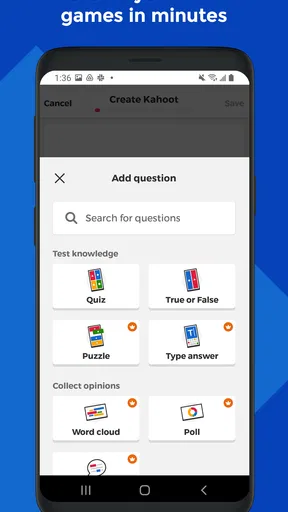
Now, this is where the fun begins. Creating a quiz is straightforward. You start by clicking on the "Create" button, and the app guides you through the process. You can add questions, multiple-choice options, and even throw in images or videos to make things more engaging. The flexibility here is impressive—whether you're crafting a simple 5-question quiz for friends or a 20-question marathon for a classroom, Kahoot has got you covered.
One of the coolest things is the ability to use templates. If you're short on time or creativity, these templates can serve as a great starting point. Plus, you can always tweak them to fit your needs.
Playing and Engaging
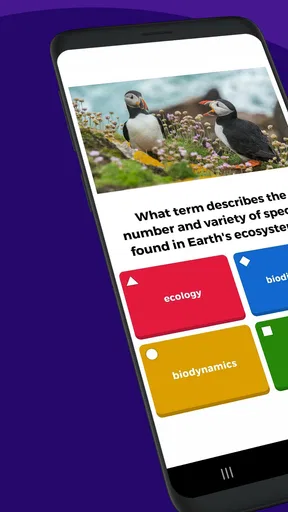
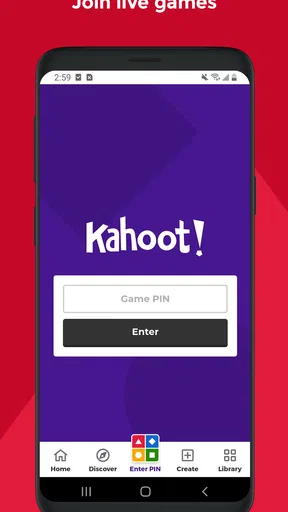
Playing a Kahoot is where the magic happens. You can host a live game or assign it as a challenge for participants to complete at their own pace. During live games, players join using a unique PIN, and the competitive spirit kicks in as they race against time to answer questions correctly. It’s a blast seeing everyone’s reactions as they climb up the leaderboard—or not!
For those who prefer a more self-paced format, the challenge mode is perfect. It allows players to tackle quizzes on their own time, which is great for asynchronous learning or just a casual round of trivia with friends.
Learning and Connectivity
What makes Kahoot! stand out is its educational focus. Teachers and educators love it because it turns traditional learning into a game. It’s not just about answering questions; it’s about engaging students and fostering a fun learning environment. The app also offers integration with various educational platforms, making it a versatile tool in any educational setting.
And it’s not just for schools. Businesses use Kahoot! for training sessions, team-building exercises, and even during meetings to break the monotony.
I find the strongest use case is a quick check for understanding, not replacing the lesson itself. A teacher can see whether a topic needs another explanation, while a learner gets a lively prompt to revisit material. At home, I’d use the same approach for a small review: make questions from the points that were hardest to remember, then talk through any answer that caused disagreement. That turns a score into a useful conversation instead of a verdict.
When creating questions, I’d keep each one focused on a single idea and avoid wording that tests reading tricks rather than knowledge. Images can make a prompt clearer, especially for visual topics, but adding media just to decorate every question can slow preparation without improving the quiz. A good practical workflow is to draft the questions first, check that the wrong options are plausible but fair, and only then decide where an image or video genuinely helps.
Pricing and Accessibility
While the basic features are free, Kahoot! does offer a premium version. The paid subscriptions open up additional features like more question types, advanced reports, and larger player limits. For educators, the investment can be worth it, especially if you’re using it frequently in a classroom setting.
The app is also accessible. It’s designed to be user-friendly, ensuring that anyone, regardless of tech-savviness, can create and play quizzes. The developers have done a commendable job ensuring that the app performs well across different devices and platforms.
For a casual household, I’d begin without paying and first check whether the available tools cover the way we actually want to play. The free starting point is helpful, but optional purchases range from $2.99 to $474.99 per item, so I would look carefully at what an upgrade includes before committing. The broad price range means it is worth distinguishing a one-off family quiz from recurring classroom or workplace use; the latter may have different needs, while occasional play may not justify extra spending.
There is a more basic trade-off than price, too: every participant needs a way to take part, and a live round depends on people joining and paying attention at the same time. If a group has one device to share, is uncomfortable with a competitive pace, or wants a quiet activity that can be paused freely, a paper quiz or a simple discussion may be easier. Kahoot! is at its best when the host can gather the group and keep the energy welcoming rather than hurried.
On the usual alternatives, I see this as more of a hosted social quiz than a private study notebook. Flashcards are often better when one person wants repeated, focused recall without waiting for a group; a worksheet is better when written reasoning and working through a problem matter. Kahoot! has the advantage when a teacher, parent, or colleague wants everyone responding to the same prompts and reacting together. I wouldn’t choose it as the sole tool for learning a complicated topic, but it can make review less solitary.
A Few Words of Advice
If you're new to Kahoot!, start with the free version and explore its features. You’ll quickly see why it’s a favorite among educators and trivia enthusiasts alike. And remember, while it’s designed to be fun, the ultimate goal is learning and engagement. So, don’t shy away from experimenting with new question formats or incorporating multimedia elements to keep your audience hooked.
One useful habit is to test a quiz from the player’s point of view before using it with a group. That gives me a chance to catch ambiguous wording, answer choices that are too obvious, and questions that rely on background knowledge some players may not share. I’d also think about how the host will handle a wrong answer: a short explanation or follow-up discussion often teaches more than moving straight to the next prompt.
The app comes from Kahoot!, an education-focused developer, and has been available since November 1, 2012. It is free to download, rated Everyone, and the current version is 6.5.9, with Android 8.0 as the minimum operating system. Its average rating is 4.7 from around 844,000 ratings, alongside about 16,000 written reviews, and it has passed 50 million installs. Those figures suggest broad use, but I’d still judge it by whether the group in front of me enjoys this particular mix of speed, shared attention, and learning.
For a household, my verdict is that it is worth trying when someone is happy to host and the group likes a little friendly competition. It can make revision, trivia, and short group activities feel more participatory, while templates and self-paced challenges offer ways to adapt when preparation time or schedules are tight. I’d skip it for a family member who finds timers stressful, for solo study that needs detailed explanations, or whenever a screen-free conversation would serve the moment better.
In conclusion, Kahoot! Play & Create Quizzes is more than just a quiz app. It’s a tool that brings people together, fosters learning, and adds a dash of fun to any gathering. Whether you're an educator, a student, or just someone looking to have fun, Kahoot! has something for everyone. Happy quizzing!
Privacy and Permissions
See what permissions an app requests and how it handles your data.
- Photos/Media/Files
- read the contents of your USB storage, modify or delete the contents of your USB storage
- Storage
- read the contents of your USB storage, modify or delete the contents of your USB storage
- Camera
- take pictures and videos
- Wi-Fi connection information
- view Wi-Fi connections
- Other
- view network connections, full network access, run at startup, control vibration, prevent device from sleeping
Verdict
Strengths of Kahoot! Play & Create Quizzes
- Engaging quizzes boost learning.
- User-friendly interface for all ages.
- Customizable quizzes for creativity.
- Real-time feedback enhances interaction.
- Wide variety of topics available.
Limitations of Kahoot! Play & Create Quizzes
- Requires stable internet connection.
- In-app ads can be distracting.
- Limited offline functionality.
- Can be overwhelming for beginners.
- Subscription needed for premium features.
Other Releases by Kahoot!
View All
Kahoot! Multiplication Games
Educational4.3
Similar Picks in This Category
View All
Duolingo: Language Lessons
Duolingo4.7

Google Classroom
Google LLC2.8

Unacademy: Learn & Crack Exams
Unacademy3.2

Bible App for Kids
Life.Church4.4

Cake - Learn English & Korean
Cake Corp.4.7

Brainly: AI Homework Helper
Brainly4.5
Frequently Asked Questions
What is Kahoot! and how does it work?
Kahoot! is an interactive learning platform that allows users to create and participate in quizzes, discussions, and surveys. It operates in a game-like format where users can join live sessions via a code. Players answer questions on their devices, and results are displayed in real time, encouraging engagement and learning.
Is Kahoot! free to use?
Yes, Kahoot! offers a free version with basic features suitable for classrooms, families, and friends. However, there are premium subscriptions available that provide advanced features like detailed reports, more question types, and enhanced customization options for educators and businesses.
Can Kahoot! be used offline?
Kahoot! primarily functions as an online platform, requiring an internet connection to host and join live quizzes. However, users can download quizzes for offline practice if they have a paid subscription. This feature is particularly useful for remote areas with limited internet access.
What age group is Kahoot! suitable for?
Kahoot! is designed to be versatile and can cater to a wide range of age groups. It is popular in educational settings from kindergarten through higher education. Additionally, it is used for corporate training and social gatherings, making it suitable for both children and adults.
Can I create my own quizzes on Kahoot!?
Absolutely! Kahoot! allows users to create their own quizzes with various question types such as multiple-choice, true/false, and puzzles. Creators can add images, videos, and even time limits for responses, providing a customizable experience. This feature is available in both free and paid versions of the app.
